
Restart List Numbering
Your Table of Contents, List of Tables, and List of Figures should all be in separate Numbered Lists with each starting at number one (1). When updating your Front Matter, Word can sometimes turn these into a single continuous list instead of three separate ones.
Instructions
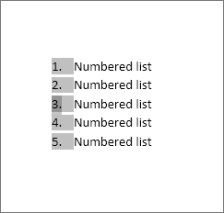
- Double click on the numbers in the list.
- Right click on the number you want to change.
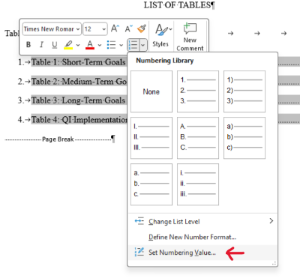
- Click on the Numbered List drop down and then click "Set Numbering Value".
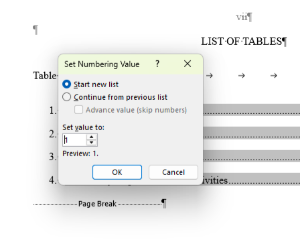
- Select "Start New List" and then set the value to one (1).